Tesla Paint Shop · Model S

Tesla Model S wraps

Find Tesla Model S wraps for its configured generations, preview designs on the long-wheelbase liftback in 3D, and export a Paint Shop PNG for your car.

Choose your Model S variant
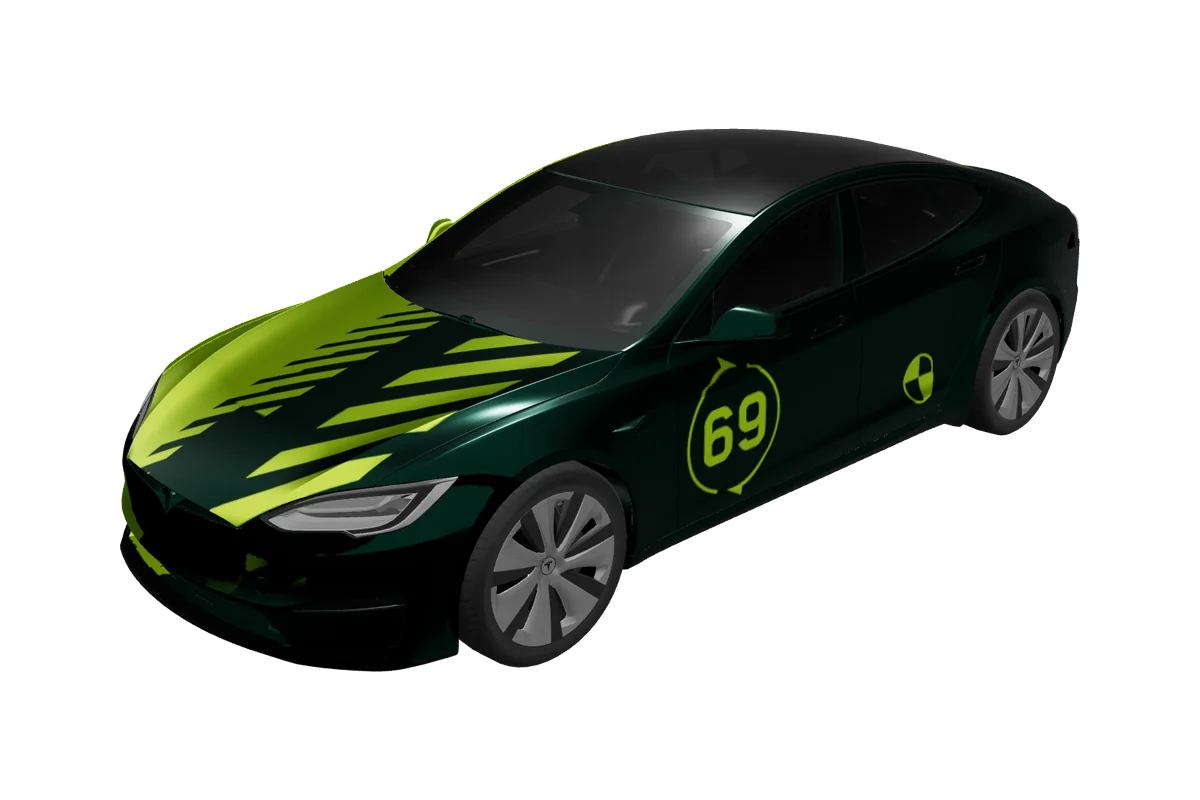
Model S Tesla vehicle preview

Paint Shop gallery

Tesla Model S wrap designs

0 designs

Model S Tesla vehicle preview

No Model S designs yet

Start with the matching vehicle template and make the first design for this gallery.

Design a Model S wrap

Why it matters

What makes Model S wraps different

Body shape

The Model S has a long, low fastback profile, a broad hood, and a liftback rear that reads as one sweeping shape from the roof into the tail. That silhouette gives a design room to build a front-to-rear motion, but it can also make a large side graphic feel unusually long. Check the balance across hood, doors, and rear quarter in the preview; an accent that looks centered on the side may feel too far forward when seen from the front three-quarter view.

Generations & variants

Our vehicle list includes Model S 2021+ and Model S 2025+ Plaid options. They are separate configurations and should be treated as distinct previews rather than interchangeable canvases. A graphic designed around the front fascia or the rear profile may need repositioning between templates. Select the closest listed option before editing, and visit /compatibility if you need to confirm a particular vehicle or software combination; this page does not promise support for every year or trim.

Placing graphics

The long side makes clean single-line graphics, understated pinstripes, and sweeping color transitions worth trying. A centered crest or door motif can provide a focal point, while a hood treatment can shift the visual emphasis forward. Keep the liftback transition in view: a stripe that ends sharply at the rear door may read differently once it approaches the sloping glass and hatch.

Template to car

From flat template to your Model S
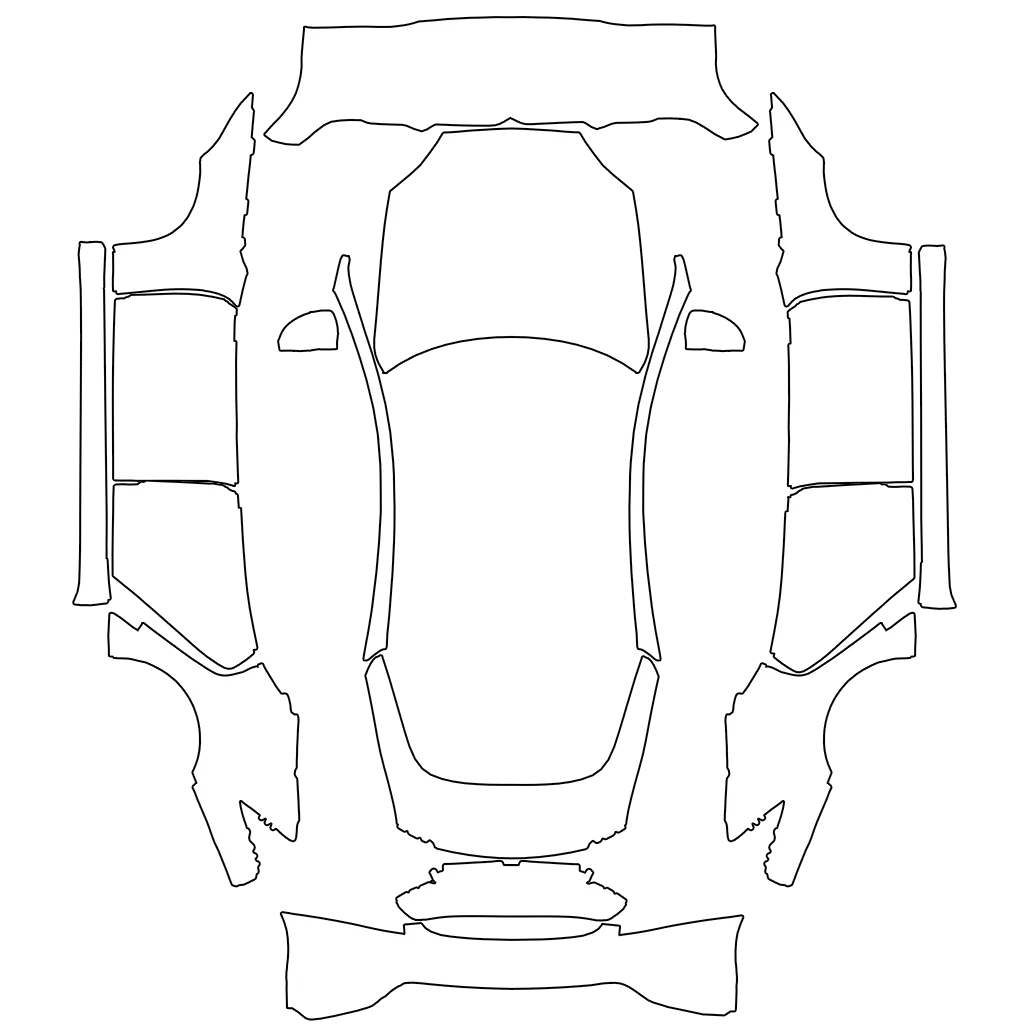
Model S flat Paint Shop templateModel S Tesla vehicle preview

The flat template maps to the matching body panels, while the 3D preview helps you check balance, seams, and detail before export.

Paint Shop export

Model S Paint Shop templates and export

VariantsModel S 2021+, Model S 2025+ Plaid
Canvas1024 × 1024
FormatPNG
File sizeUnder 1 MB (1,048,576 bytes)
USB folderWraps
In the carToybox → Paint Shop → Wraps

The Model S export configuration is a 1024 × 1024 PNG with a maximum of 1,048,576 bytes (1 MiB). Download the original file and avoid changing its canvas or compression. It is a digital Paint Shop appearance image, not physical vinyl, a paint product, or a cut-ready wrap pattern.

For installation, use the repository’s guide: copy the PNG to the USB drive’s Wraps folder, connect it to the vehicle, and follow Toybox/Paint Shop. Keep the file paired with the Model S template you selected, especially when comparing the listed 2021+ and 2025+ Plaid options. Availability can vary; check /compatibility and use the instructions on the vehicle instead of assuming a feature is present.

A clear path to export

How to design a Model S wrap
01

Choose the variant

Choose the Model S variant chip that best matches your car. The design grid is filtered to Model S work, so you can inspect the concepts before downloading or opening one in Studio.

02

Edit in Studio

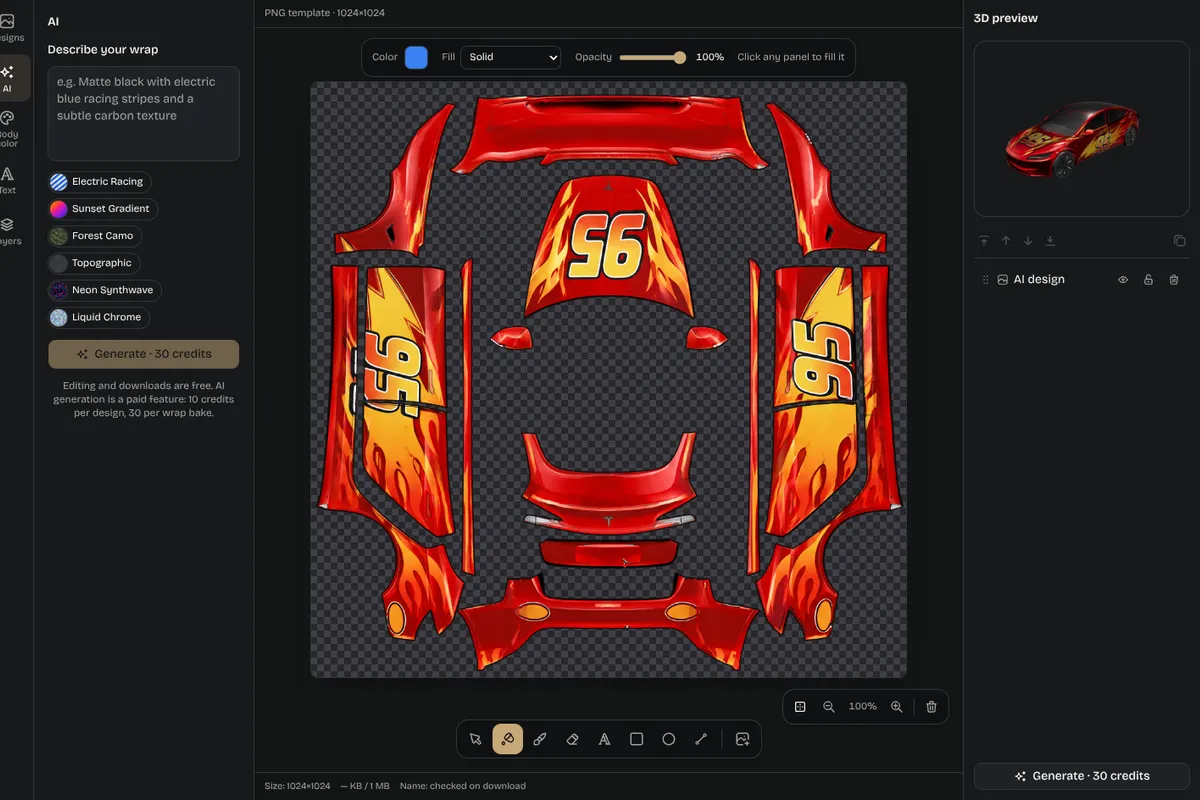
To create something new, use the editor with the chosen vehicle preselected. Rotate the vehicle through side, front, and rear perspectives, then inspect the flat PNG for the precise artwork boundaries.

03

Check 3D and PNG

When the composition feels balanced, download the PNG without resizing it. Put it in the USB Wraps folder and continue through Toybox and Paint Shop as described in the install guide.

04

Download and install

If you cannot see the feature, or you have a year-specific question, use the compatibility page to guide your next check. The digital preview helps evaluate placement but is not a guarantee of exact real-world appearance.

Editor screenshot with layers panel and 3D preview

Inspiration

Model S wrap ideas

Idea 01

The liftback profile can carry a continuous wave, a restrained motorsport stripe, or a color fade that travels from the hood along the roofline. A subtle door graphic can preserve the sedan’s clean side, while a bold rear-quarter panel can emphasize its long tail. The gallery includes broad styles such as racing, anime, and color concepts; use them as inspiration and test how each motif behaves on the specific Model S template.

Idea 02

Compare the 2021+ and 2025+ Plaid previews where relevant. Lighting and bumper details influence the visual endpoints of a graphic even when the central doors appear similar. Check the rear hatch at multiple angles, keep important text away from the liftback seam, and verify that the flat image still contains the full intended composition before export.

Composition notes

Planning a flowing Model S composition

01

The Model S’s long silhouette gives a designer room to create a sense of motion, but a wrap does not need to cover every panel to feel complete. Choose a dominant direction for a stripe or color transition, then let negative space preserve the liftback’s clean outline. A motif centered on the door can become visually front-heavy when viewed from ahead, so rotate the preview and check whether the hood and rear quarter still feel related. The 3D view encourages this broader reading instead of focusing on one flat section at a time.

02

Use the two listed configurations as separate design contexts. Model S 2021+ and Model S 2025+ Plaid provide independent entries in the vehicle list, so select the intended option before editing. If you are comparing a finished card with another version, use it as a reference and open the editor with the correct vehicle selection. This makes the relationship between the artwork and the chosen template explicit, and helps keep the resulting download paired with the preview you reviewed.

03

A final quality check can be simple: inspect the front corner, both side perspectives, and the sloping rear; zoom the PNG; then confirm that any text remains clear and away from seams. Subtle pinstripes may need stronger contrast to remain visible, while a large hood graphic may need breathing room near the windshield. Preserve the original 1024 square export after download. The linked installation guide explains how to move it through USB to the vehicle, and the compatibility guide is the place to investigate availability that depends on year or software.

Pick your model

Explore more Tesla wrap designs
Good to know

Frequently asked questions

Start designing

Ready to design your Model S wrap?